How To Export Over 1 Million Events From Firebase Analytics GA4 To BigQuery Without GA360
By Jason Dolan · Feb 3, 2025 · updated Feb 4, 2026 · 4 min read
Many mobile apps generate well over 1 million Firebase Analytics events per day but the cost of GA360 is hard to justify.
In this article, we are going through the steps to enable Parallel Tracking to export over 1 million events to BigQuery without upgrading to GA360.
How to check your Firebase Analytics event count
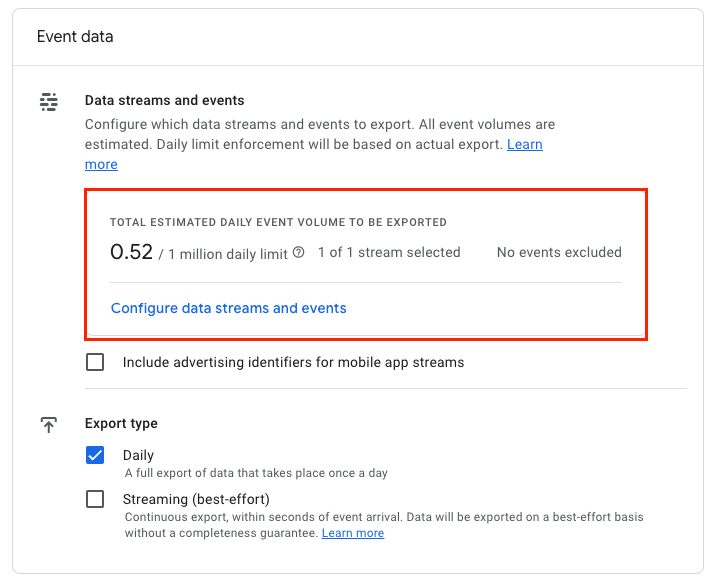
If you have GA4 to BigQuery data export already enabled for your Firebase Analytics account, you can see the daily event count in the GA4 admin panel.
Go to Admin panel –> Product links –> BigQuery links and look for the “Total estimated daily event volume to be exported” in the Event data section.
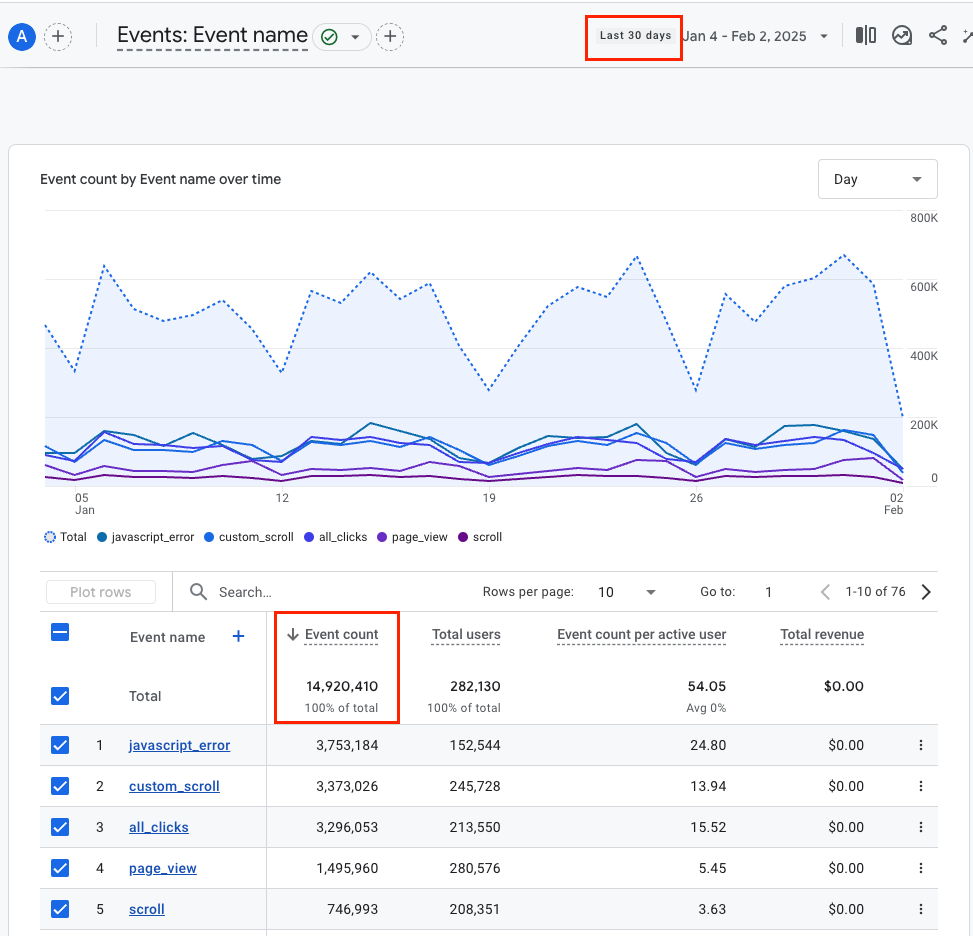
Alternatively, you can navigate to Reports –> Engagement –> Events and see the event count there.
Select the last 30 days and examine the total number of events. If it’s close to or over 30 million, consider implementing Parallel Tracking to avoid data loss.
How to enable Parallel Tracking for Firebase Analytics GA4
Enabling Parallel Tracking for Firebase Analytics GA4 to export over 1 million events to BigQuery (or another data warehouse) is rather straightforward. Below are the steps to get the pipeline up and running.
Enable Server-Side Google Tag Manager
For Android apps, you need to update your AndroidManifest.xml file by adding the following line.
<meta-data android:name="google_analytics_sgtm_upload_enabled" android:value="true" />
For iOS apps, you need to update your Info.plist file by adding the following line inside of the first <dict> element.
<key>GOOGLE_ANALYTICS_SGTM_UPLOAD_ENABLED</key>
<true/>
Sign up with Parallel Tracking
Next, you need to get an account for Parallel Tracking. Please schedule your free consultation using the link below.
Your account manager will then assist you by connecting the Parallel Tracking data processor with your BigQuery dataset.
Once BigQuery is connected, all Firebase Analytics GA4 events will flow into your BigQuery dataset like normal, and there will be no limit to the number of hits you can export per day.
Enable Server-Side routing in GA4
In the GA4 admin panel, navigate to Data streams and enable server-side tagging for each data stream. To do so, you need to select your stream, click “Configure SDK settings” and then “Configure server-side Tag Manager”.
You need to insert the “Server container URL” provided by your account manager or use your own if you are using Server-Side Tag Manager already.
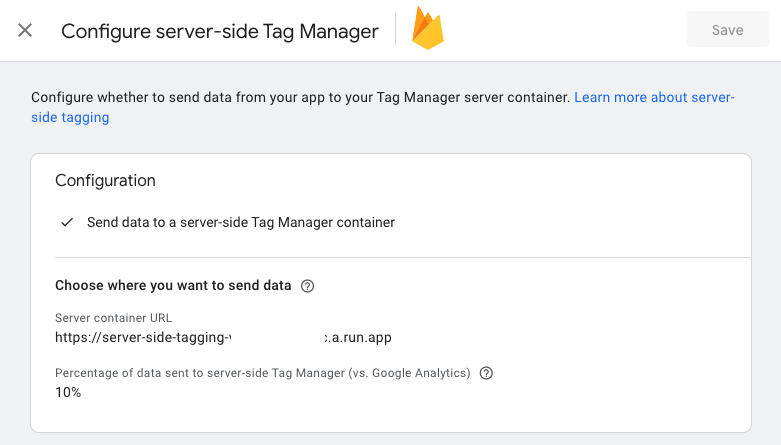
While validating the setup, you can keep the percentage at 10%. After validation, this should be changed to 100%.
How Parallel Tracking works
Parallel Tracking for Firebase Analytics GA4 duplicates all events that your app is sending to GA4 to another data processing endpoint, where data gets processed 100% the way GA4 itself does it.
In order to enable event duplication, all events must be routed through Server-Side Google Tag Manager. This is a standard process described in the official documentation from Google.
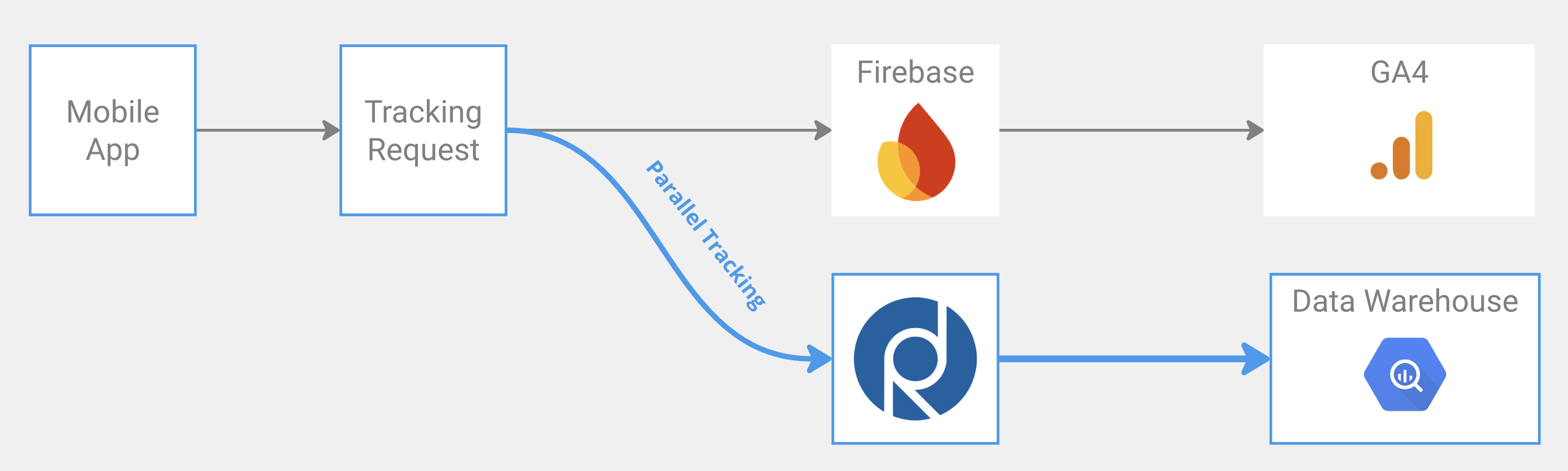
The data you are receiving from Parallel Tracking is 100% the same as you would get with the native BigQuery export. The schema is exactly the same. The only difference is that there is no limit on the number of events you can export per day.
Conclusion
If you need to export over 1 million events per day from Firebase Analytics GA4 into your BigQuery dataset and don’t want to upgrade to GA360, then Parallel Tracking is your best option.
Getting started with Parallel Tracking for Firebase Analytics GA4 is very easy; your account manager will walk you through all the steps and provide all the technical support you need.
Learn more about Parallel Tracking and schedule a free consultation session.
written by
Jason Dolan
Jason is an expert in digital analytics, data pipelines and data warehouses. Since 2009, he has helped numerous companies become more data-driven and gain full control over their data flows.
We love AI, but this article was written by one of our experts.
discussion
0 comments